
Which version is current?
Three copies of the same form, two of them outdated. Every week someone fills in the wrong one and starts again.
Office teams
Collect ideas about forms, shared inboxes and handovers through one intranet link, then give each one an owner, a status and an answer your colleagues can see.

In the office, problems rarely look like problems. They look like the third “which form is current?” message this week. Or a customer case that stalls while a colleague is on holiday. Someone says “we should fix that” in a meeting, and that's where it stays.
IdeaKanban gives process improvement in the office a clear path. Colleagues submit through a link on your intranet or in the team chat. You review on one board and assign each approved idea to the team that owns the process, from finance to customer service.
Three copies of the same form, two of them outdated. Every week someone fills in the wrong one and starts again.

A shared mailbox where everyone assumes someone else replied. The customer asks twice.

A colleague goes on holiday and their open cases stall. The person covering calls the customer with questions they already answered.
Inside the live demo
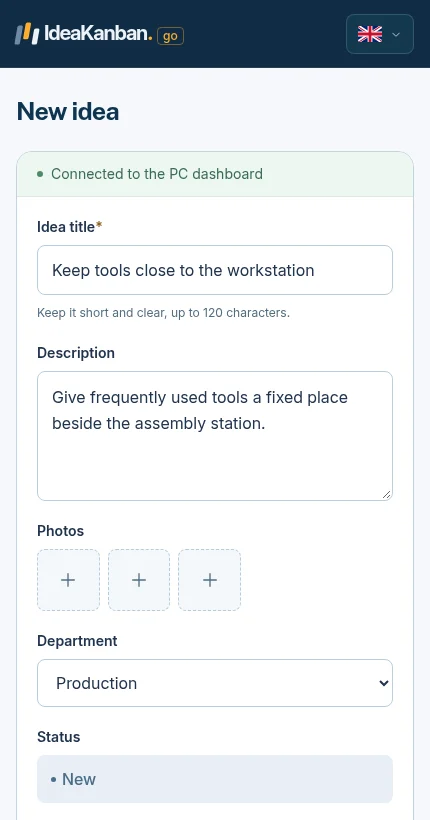
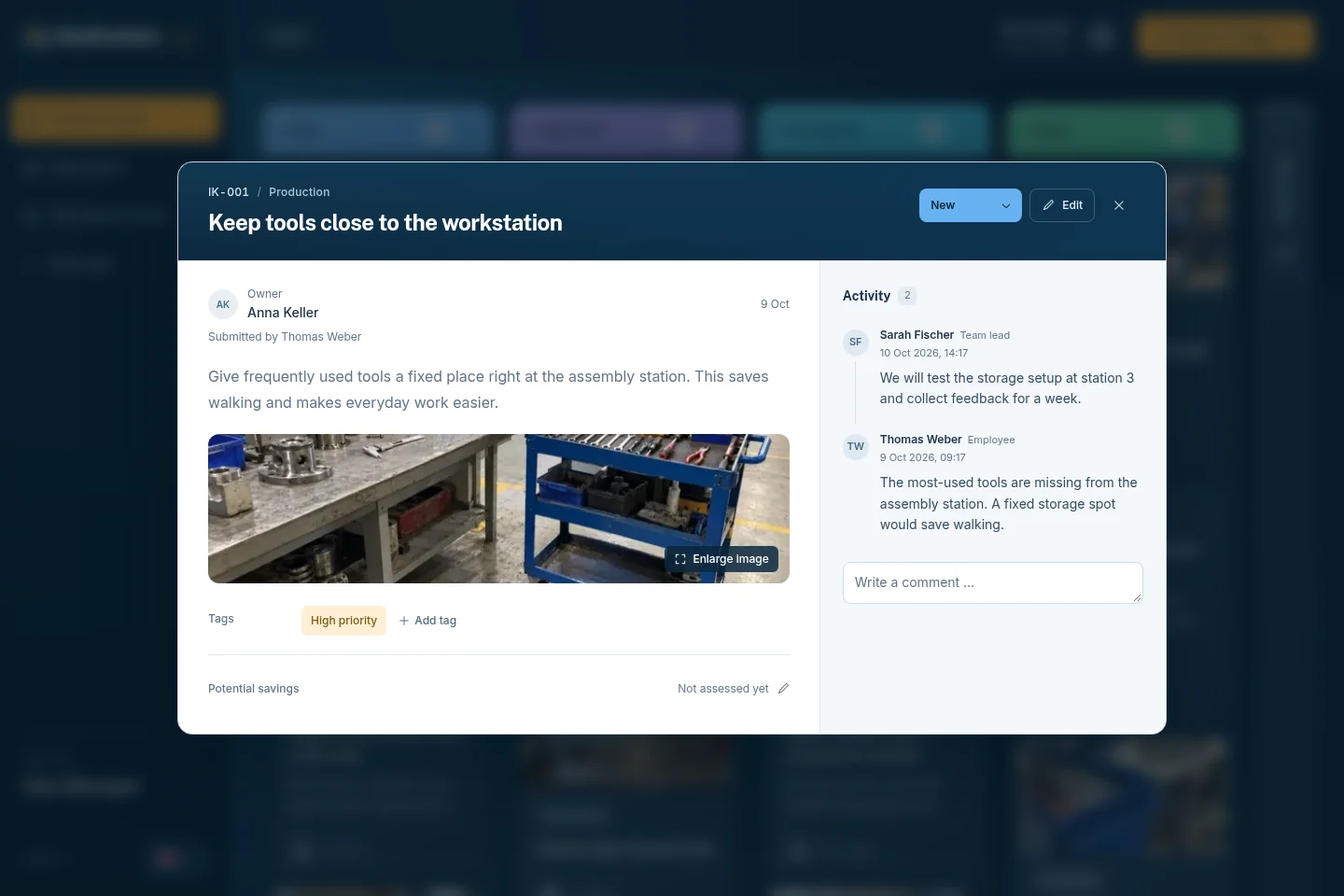
Both screens are from the live demo. Office colleagues open the same form on a laptop or a phone.
01 / The employee form
02 / The Idea Manager view
Worked example
Customer service keeps losing time when cases change hands. Here's one idea, start to finish.
New
Lena covers for a colleague and has to call two customers back with questions they had already answered. She opens the idea link on the intranet and suggests: every handover note states the status, the next step and who owns it.
Approved
You approve the idea in the weekly review and assign Customer Service. The team lead gets an email with a secure link to the idea.
In Progress
The team lead adds the three fields to the handover template in your CRM. She posts an update through the link when the team starts using it.
Done
Before closing, ask the colleagues who took over cases: could you continue without calling the customer again? If yes, move the card to Done and thank Lena in the team meeting.
The case itself stays in your CRM. The board tracks the improvement: who owns it, what changed and whether it worked. Try the same flow in the live demo.
Office ideas are easy to state too broadly. “Digitise our processes” can't be approved. “Put one link to the current travel expense form on the intranet” can. Ask your team about things that happen every week:
One short, maintained answer in one place saves everyone the next round of messages.
One owner-managed link replaces the copies on desktops and in old emails.
Shared inboxes, approvals and requests need a named person, not a shared assumption.
Pick one, run it through the board and show the team what changed. That first visible result brings the next ideas.

Three roles
Colleagues submit through the link without an account. The Idea Manager logs in and runs the board. The department that implements gets an email with a secure link to its idea and adds updates there.
So you don't buy a licence for every office worker, and nobody has to learn another tool just to suggest a better form.
No. Share the submission link on your intranet, in an email or in the team chat. The QR code is just another way to open the same form.
No. Customer cases, tickets and controlled documents stay where they are. IdeaKanban tracks the ideas for improving how you handle them.
Not automatically. No account means no login, but the text or a photo can still point to a person. Tell your team how you handle ideas before you ask for them.
That depends on Idea Managers and departments, not on headcount. Starter (€39/month) covers 1 Idea Manager and up to 3 departments. Business (€129/month) adds up to 5 Idea Managers and unlimited departments. Both are billed annually.
One current customer form link, written up step by step. Free PDF and Word templates.
Explore this guideSuggestions and team questions about forms, inboxes, contacts and recurring requests.
Explore this guide
How one coordinator keeps the review manageable next to the day job.
Explore this guideTry it yourself
Open the live demo, choose New idea and describe one recurring office problem. Then switch to the board and see where it lands. You'll also find an office example there: making double-sided printing the default. When you want your own board and link, start the 30-day trial.
Live demo: sample data, no signup. Trial: your own workspace with Business features, no credit card. Paid plans from €39/month, billed annually, with unlimited submitted ideas.
Try it with your team
Create your own workspace and try Business free for 30 days. No credit card needed to start.