Templates & examples
Free continuous improvement templates for your team.
Need something concrete for your next team meeting? Put eight example ideas on the wall, print a suggestion form or run a pilot with a ready-made pack.

Free PDF · 5 pages
Continuous improvement board: 8 worked examples.
Every template on this page is free, with no email address or signup. Start with the board: it shows your team what moving an idea from New to Done should look like.
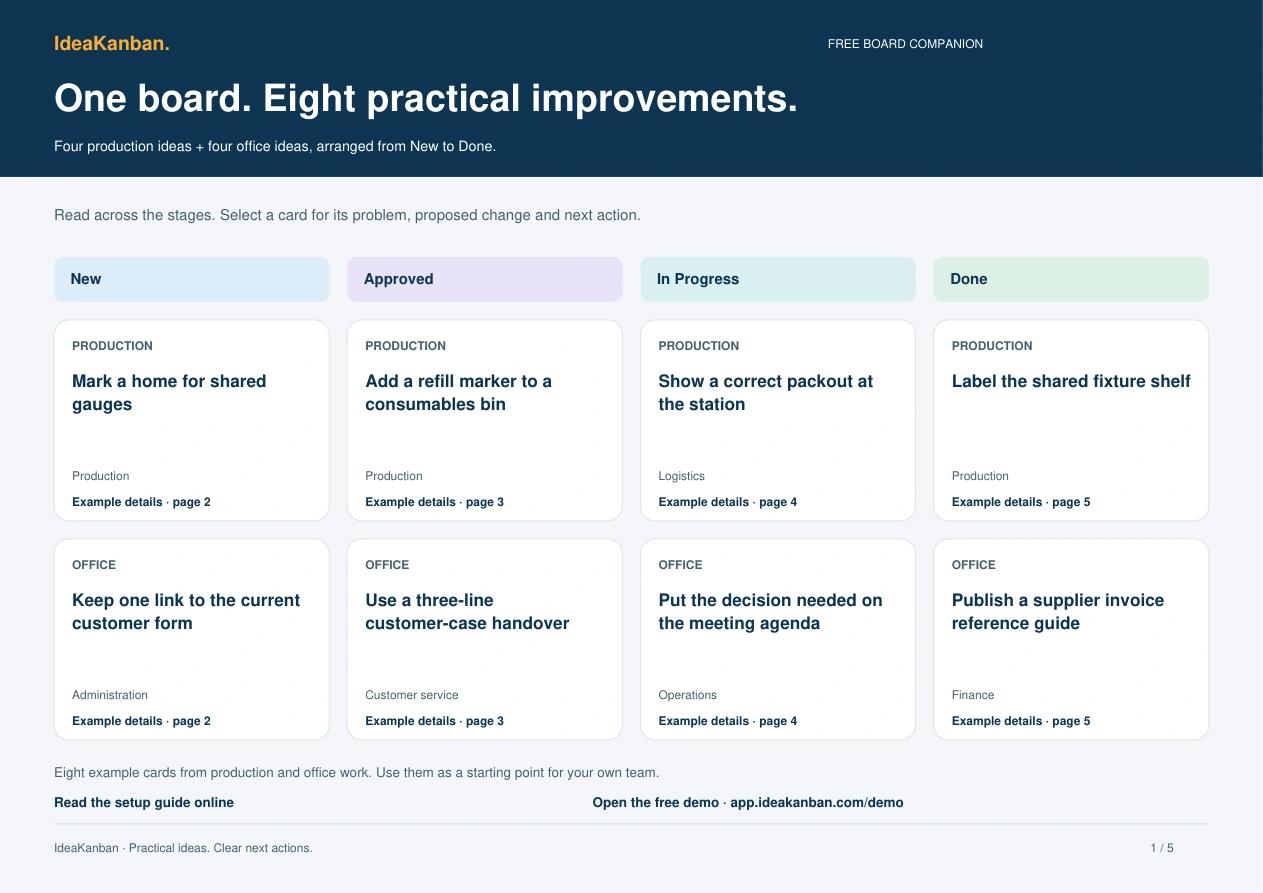
Four production ideas + four office ideas
See the whole board, then work through one example.
The PDF opens with a four-column board overview. For each of the eight ideas, it then shows the problem, the proposed change, the department, the next action and how the team checks the result.
Put it on the screen in your next team meeting and ask: what would it take to move our ideas like this?
Suggestion form: print it or edit it.
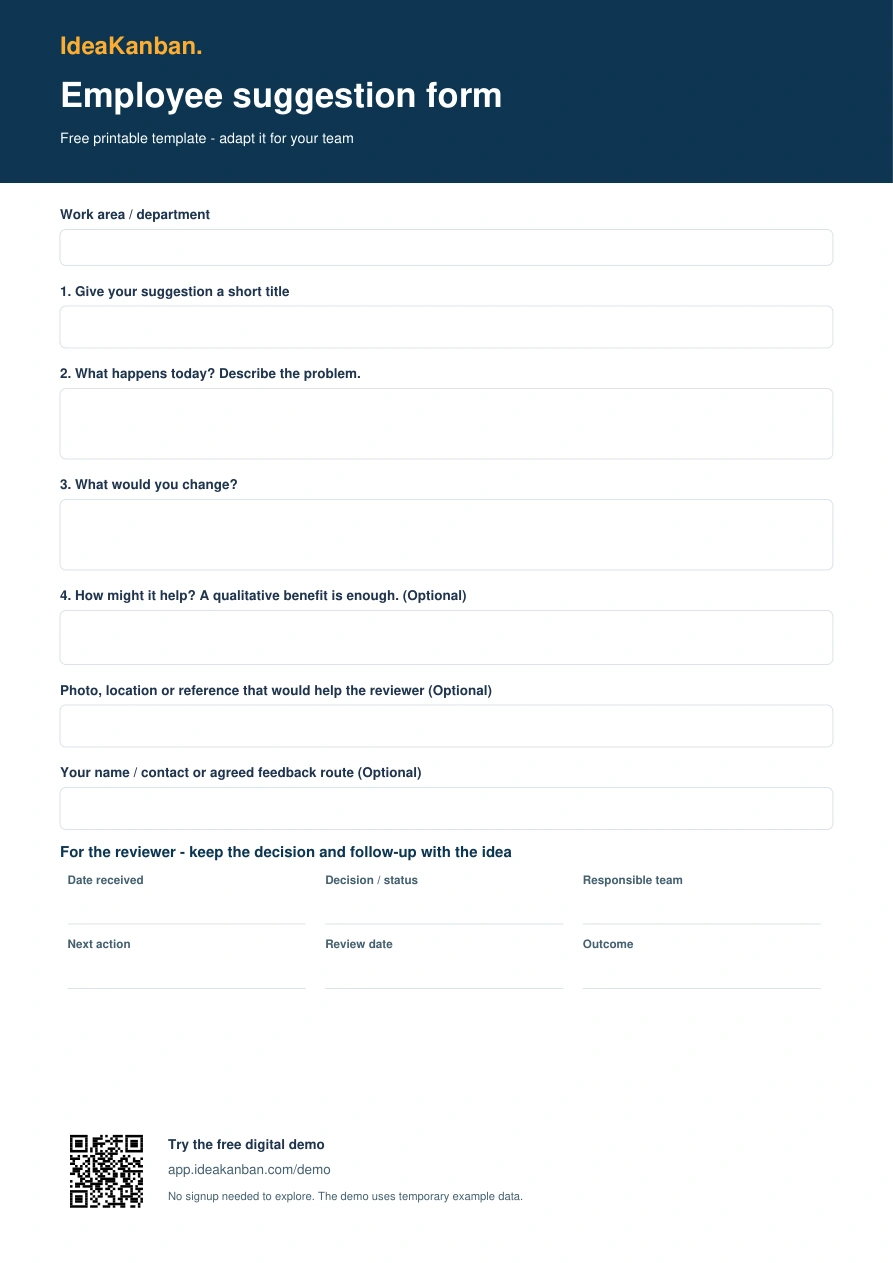
PDF and editable Word
One page for the problem, the idea and the decision.
The top half is for the employee: what happens today and what they would change. The bottom half keeps the decision, the responsible team and the next action with the idea.
The filled-in version shows an office team trying to find the current customer form.
Blank suggestion form
One printable A4 page with employee questions and a separate reviewer section.
Download freeWord · DOCXEditable suggestion form
Change the questions, work-area wording and review responsibilities for your team.
Download freePDF · 1 pageFilled-in office example
A concrete problem, a proposed change and a way to check it, waiting for review.
Download freeWant to know what each field is for? The employee suggestion form template guide walks through all five fields and shows you how to test the digital form on your phone.
25 suggestion ideas and team questions.
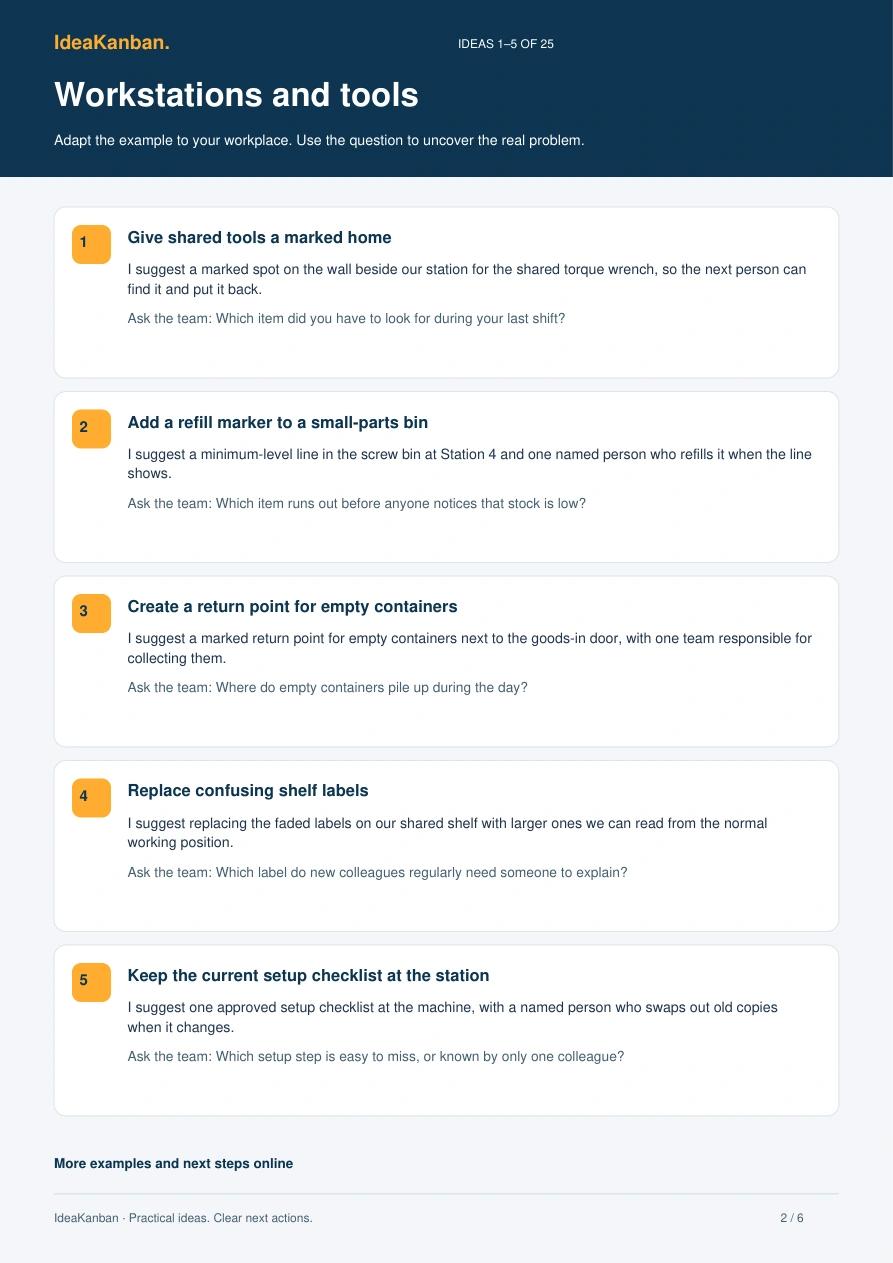
A question for every example
Ask about something people recognise in their work.
Pick a topic your team knows: workstations, quality and handovers, office information, coordination, or materials and facilities. Each example pairs a concrete proposal with a question that gets people describing their own situation.
A working pack for your first team pilot.
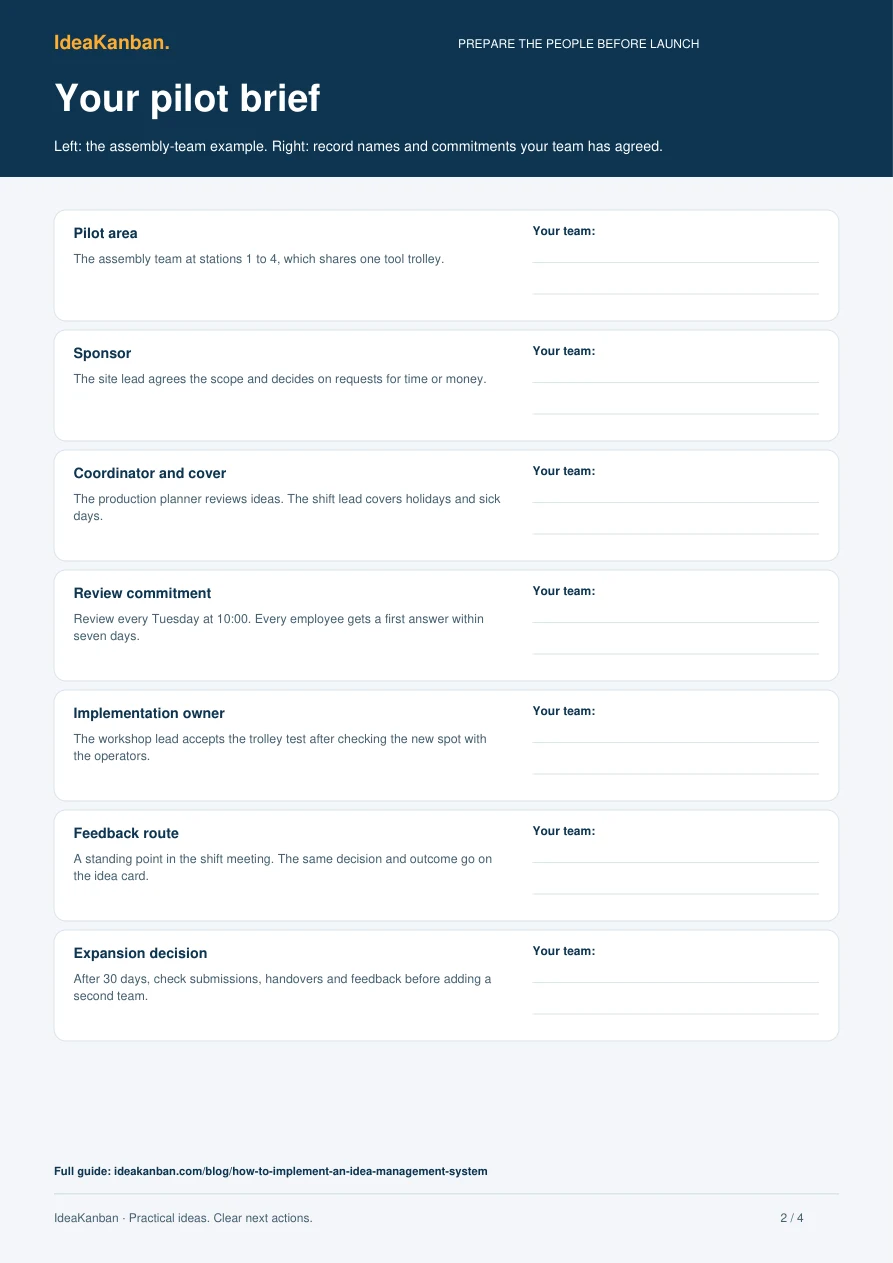
Seven steps, with working records
Prepare the brief, review the work and record the decision.
The pack includes a seven-step checklist, a worked and a blank pilot brief, a review agenda and a final decision sheet. Use it with the suggested 30-day implementation plan.
The seven-step implementation guide explains the plan. It runs for 30 days; the free Business trial covers the first 14.
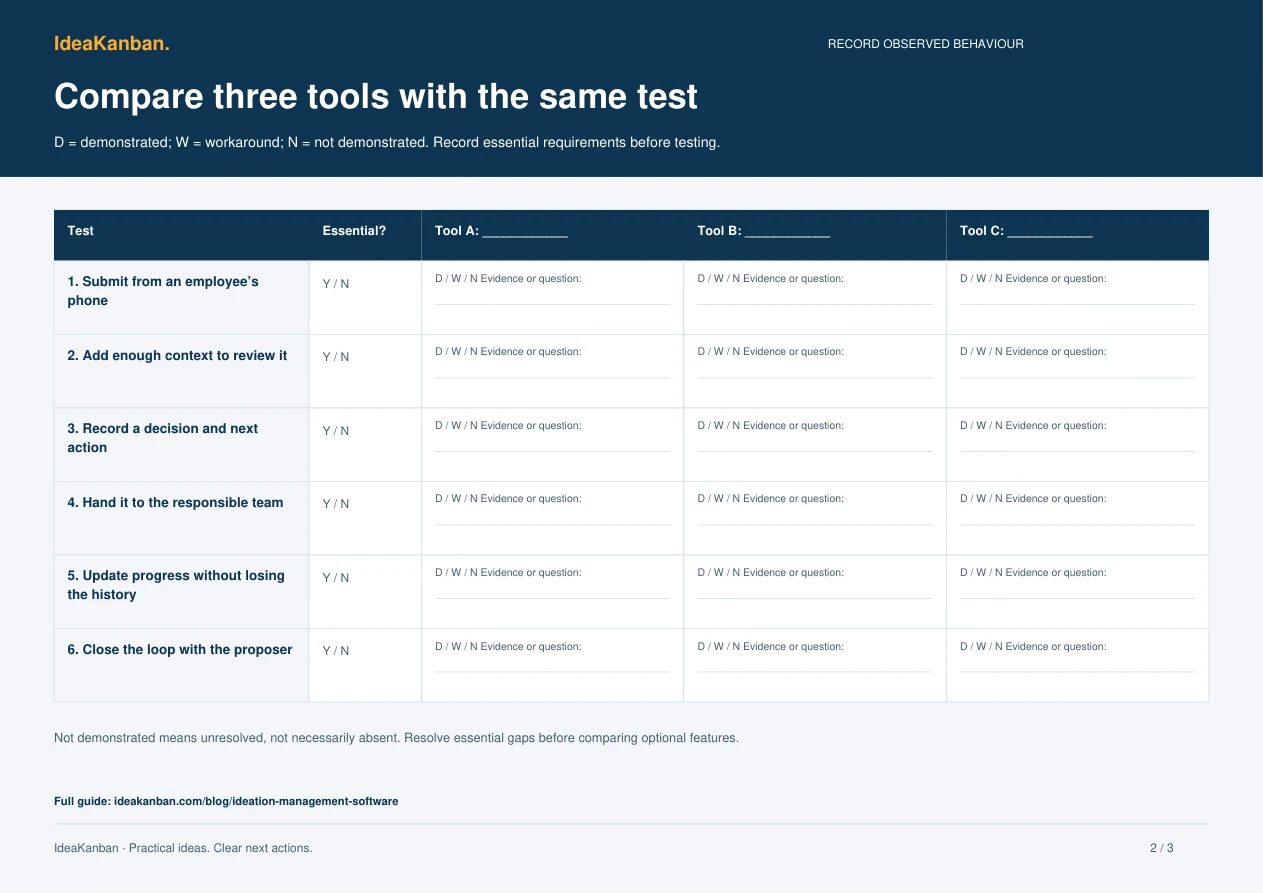
A worksheet for comparing software.
Take it to your next demo call
Run the same six checks in three product demos.
Use the test brief, the side-by-side worksheet and the decision sheet to record employee access, photos, review, assignment, progress and feedback. Mark your must-haves before you compare extras.
The software evaluation guide explains how to run each task and how to tell an untested requirement from a real limitation.


From paper to a live board.
Try the form on your phone
Scan the QR code in the free demo, submit an idea and see it arrive on the desktop board.
Explore this guide
Explore the filled board
All eight examples online, five setup steps and the phone-to-board demo route.
Explore this guide
Run a better team conversation
The 25 suggestions and questions, plus tips for asking about real work and replying.
Explore this guideA few practical answers
Do I need to give an email address to download?
No. All PDF and Word templates are free to download without registering or giving an email address.
Can I adapt the templates for my team?
Yes. Use and adapt them for your own suggestion process. The Word form is editable; the PDFs are ready to print.
Will a downloaded file import ideas into IdeaKanban?
No. The files work on their own. The public demo and your company workspace have their own digital submission form.
Try it with your team
Give your next idea a place to start.
Create your own workspace and try Business free for 30 days. No credit card needed to start.