Software selection
Ideation Management Software: 6 Checks Before You Buy
Six hands-on demo checks, a test idea to copy and a free evaluation checklist for comparing three tools.
Published by the makers of IdeaKanban. See sources and how this guide was prepared.
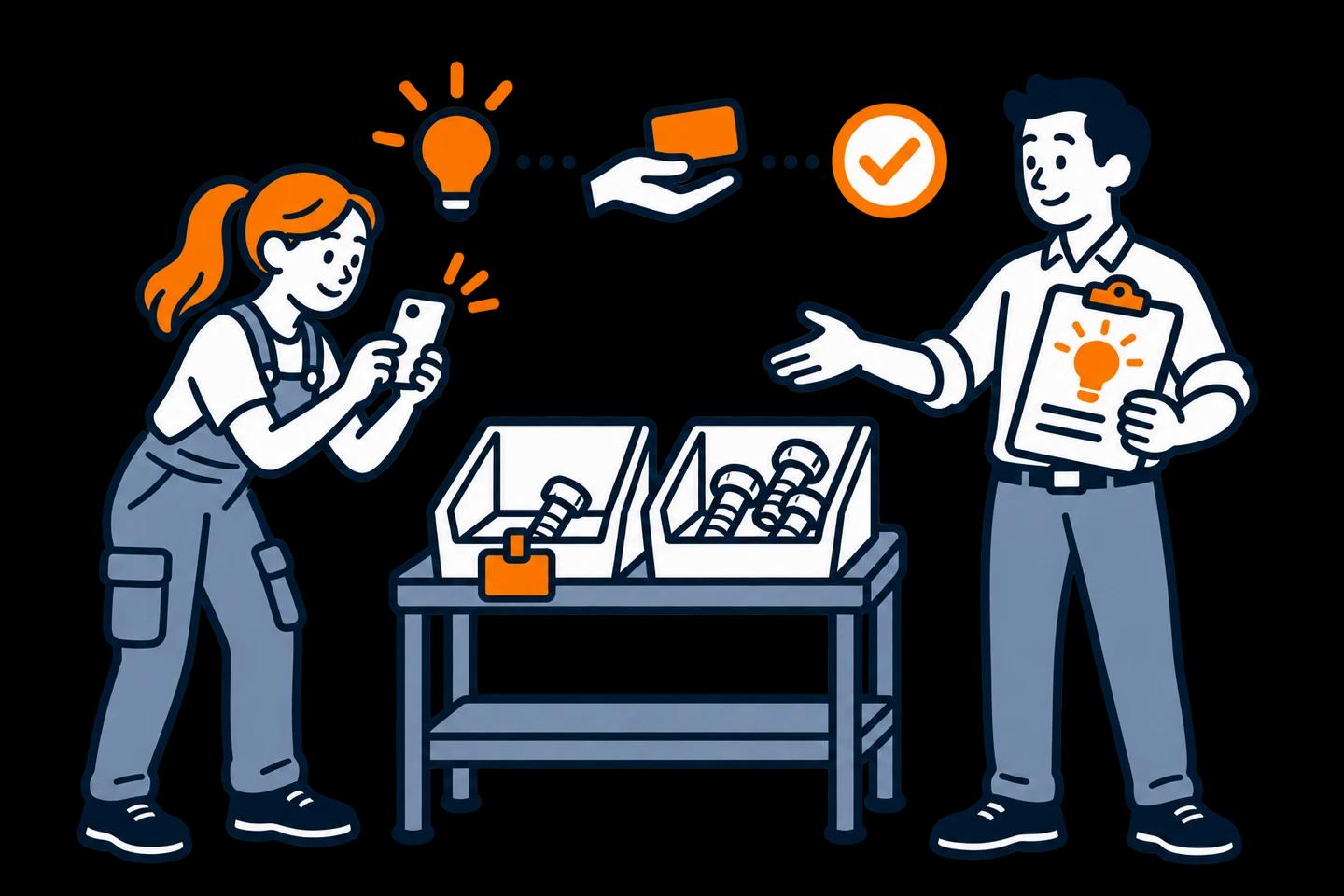
Every software demo looks smooth when the salesperson drives. They type the idea, use an admin account and click the next step for you. But that is not your question. You need to know whether an operator can submit from her phone, and whether the department can pick the idea up without help.
This guide turns that question into six hands-on checks for ideation management software. You also get a free evaluation checklist for three tools and a sample suggestion to paste into every demo. You can try all six checks right now in our free live demo, no signup needed.
What is ideation management software (or an ideation platform)?
Ideation management software helps teams capture ideas, evaluate them and organise what happens to the ones they pick. Products differ a lot. Some centre on workshops and visual brainstorming. Others focus on employee suggestions, or on several stages of innovation approval.
The label alone won't tell you what matters day to day:
- Can an operator submit from a phone without a company account?
- Does the person implementing the change need a licence?
- How does feedback get back to the employee?
You find that out by testing, not by reading feature pages.
Choose the type of tool before you shortlist
Write one sentence about the work. "We need to explore designs together" is a different requirement from "We need to follow employee suggestions through review and implementation." Then use the map to pick the type of tool you should test.
Start with the job, not the feature list
What should the software help your team do?
Pick the one closest to your job and test that type first. Some teams need two.
- 01
Explore possibilities
A collaborative whiteboard
For workshops, sketches and sticky notes you group together.
Ask: How will the ideas you pick move into delivery?
- 02
Collect occasional suggestions
A form and a maintained list
For a handful of ideas that one person reviews and follows up.
Ask: Who keeps decisions and updates in one place?
- 03
Improve everyday work
An employee idea workflow
For suggestions that need a review, a responsible department and visible progress.
Ask: Can employees and owners use it with the access they already have?
- 04
Coordinate a wider innovation programme
An innovation management platform
For campaigns, several evaluation stages and portfolio decisions.
Ask: Which approvals and integrations do you need?
Ready for named products? Start with the five-option shortlist for small businesses, or open the idea management software comparison for a side-by-side matrix. Replacing an existing HYPE setup is a separate decision, covered in the HYPE alternatives guide. This page shows you how to test whichever products end up on your list.
Idea management software requirements: decide what is essential
A feature is essential only if your process can't reasonably run without it. Write your must-haves down before you open any product. For example:
- An employee submits from a phone without a company email account.
- The reviewer can reopen the photo that came with the idea.
- The responsible department posts its implementation update itself.
Then pack your test kit: a phone, a harmless workplace photo and a colleague. Keep the employee test apart from your admin session. A browser that is already signed in can hide an account requirement.
Use the same test idea in every tool, so your results stay comparable:
Copy this as the description:
At the assembly station, we sometimes discover an empty fastener bin when the next job starts. I suggest a visible refill marker and an agreed replenishment action. Production should check the position and quantity before trying it on one bin.
Want a different scenario? Use the blank suggestion form and filled-in example, or pick an observation from the 25 workplace suggestion ideas.
Run the 6 ideation management software checks in every demo
You need two people. One submits the idea. The other reviews it and then acts as the receiving team. You are testing whether the handover works with those roles, not whether an administrator can click every button.
Submit from an employee’s phone
Leave your admin session. Open the submission link on a phone, with the account and device an employee really has.
What a pass looks like: The idea reaches the reviewer without anyone typing it in again.
Add enough context to review it
Enter a short problem, the proposed change and a workplace photo. Then reopen the idea as the reviewer.
What a pass looks like: Text and photo stay together and are easy to read on the reviewer’s screen.
Record a decision and next action
Ask the reviewer to decide: go ahead, ask a question or decline, with a reason. Then find that reason again.
What a pass looks like: Anyone opening the idea later sees what was decided and what happens next.
Hand it to the responsible team
Assign the idea. Ask a colleague to open the handover as the owner, using their normal access.
What a pass looks like: The owner sees the idea, understands the task and can add an update.
Update progress without losing the history
Add a progress note or photo, move the idea forward and reopen the original record as the coordinator.
What a pass looks like: Status and updates sit on the original suggestion, not in a separate email thread.
Close the loop with the proposer
Record the outcome and agree how the employee hears about it: an automatic message if the tool offers one, or a team update.
What a pass looks like: You can show what changed and how the person who suggested it finds out.
What the checks look like in a real product
Here are checks 1 to 5 in the IdeaKanban public demo.
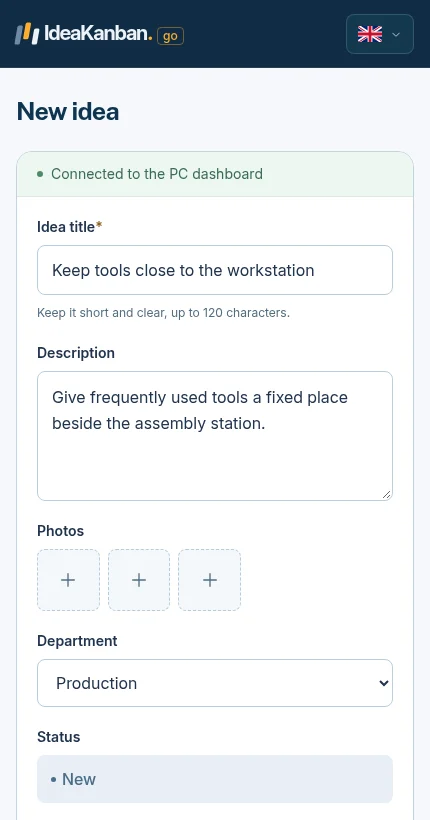
Checks 1–2: the real phone form from the public demo. Open it in a fresh browser to test access, then reopen the photo as the reviewer.
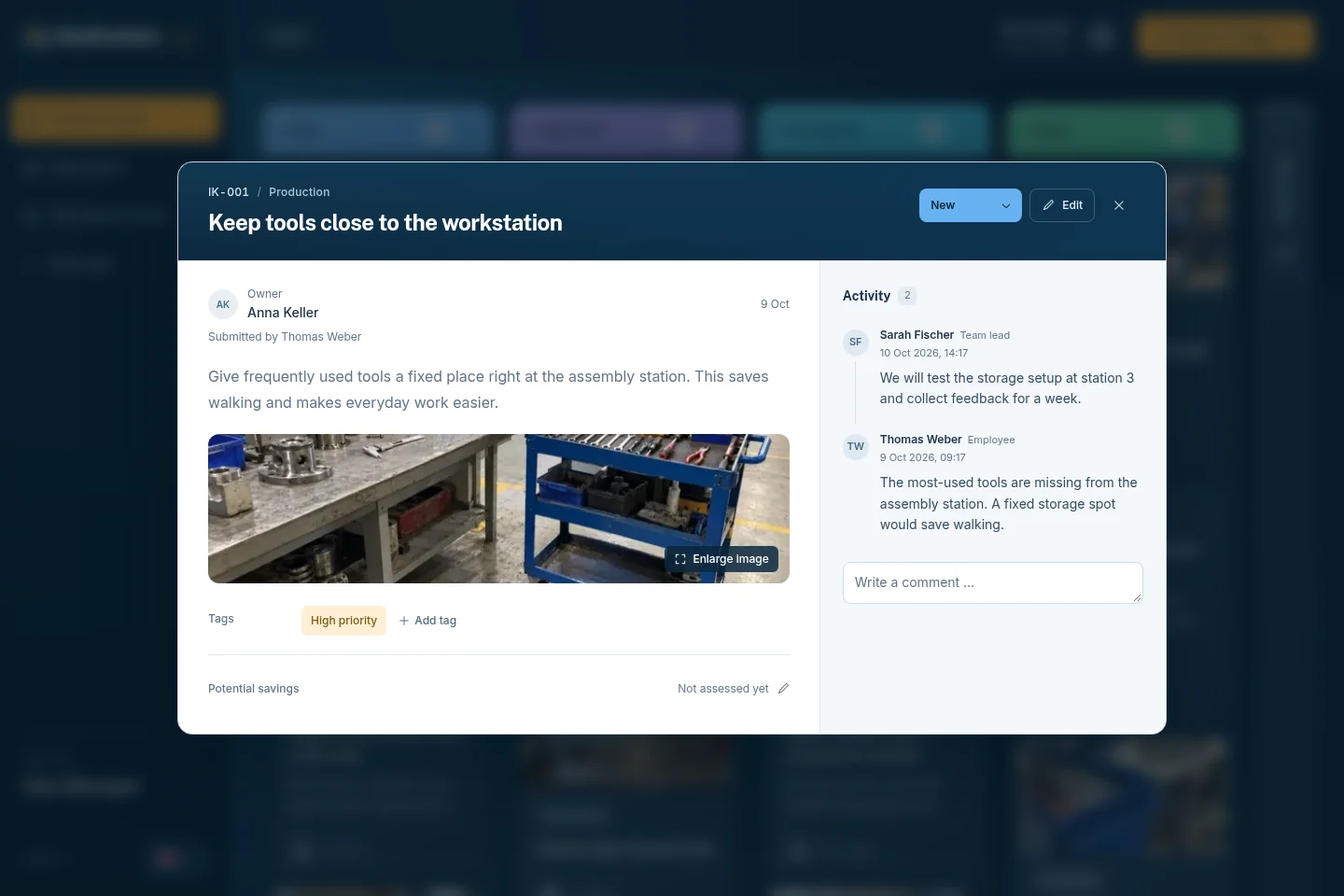
Checks 3–5: decision, responsible department and activity on one record. This demo idea is about tool storage; your refill-marker test lands in the same view.
For check 6, agree the real feedback route. If the product sends notifications, check that they reach the intended person. If your team uses a shift meeting, name who gives the update. CIPD's guidance on employee voice makes the point clearly: listening only counts if management responds. And remember that login-free submission doesn't by itself mean a private reply or anonymous participation.
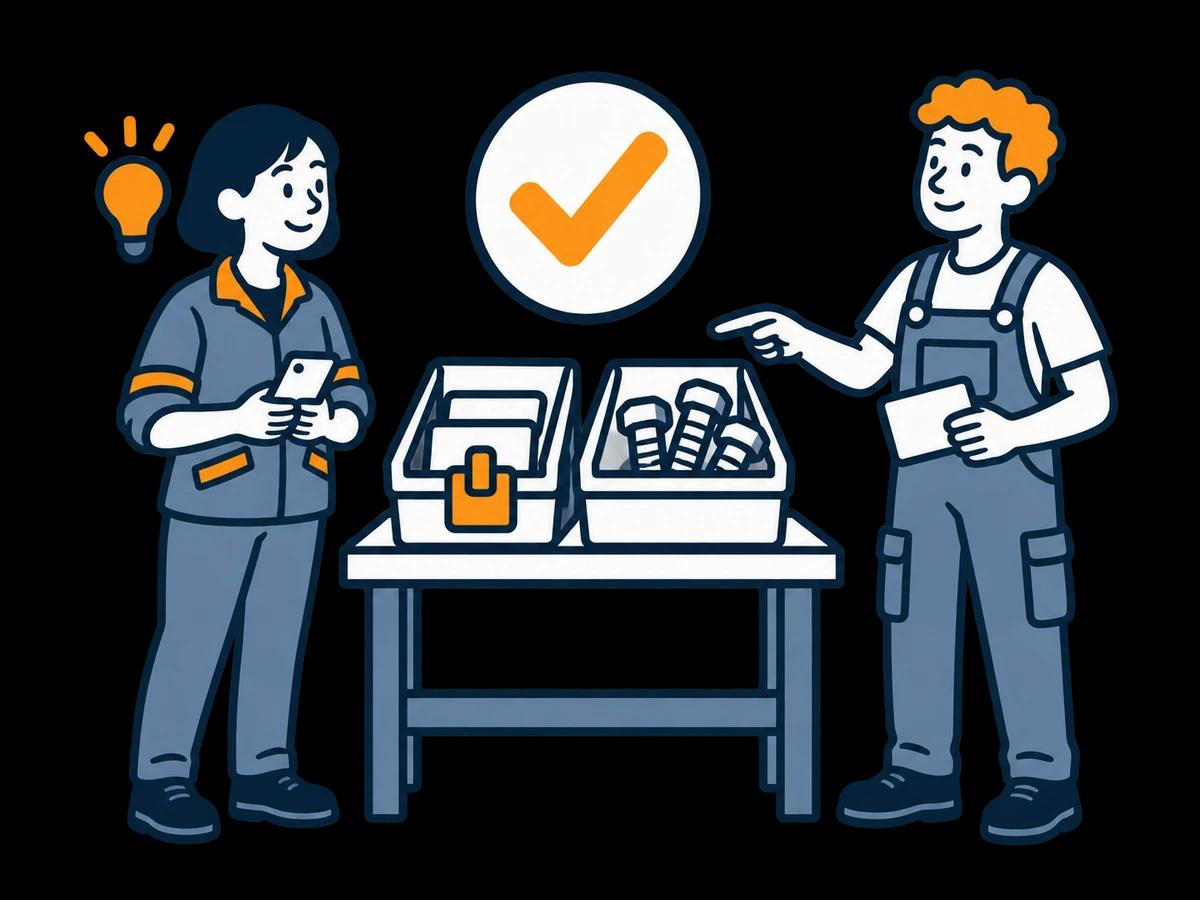
Complete the handover
An outcome people can see
- Make a decision
Record what will happen and who takes the next action.
- Show what changed
Keep the outcome and a useful photo with the suggestion.
- Tell the people involved
Send the result back through a team update or another agreed route.
Score each check: Demonstrated, Workaround or Not demonstrated
Use these three labels on the worksheet:
- Demonstrated: you did it yourself, with the intended role and access.
- Workaround: it worked, but needed an extra manual step or another tool. Note who will maintain it.
- Not demonstrated: the demo didn't show it. Ask for a follow-up. It doesn't automatically mean the product lacks the feature.
Don't pick a winner by counting ticks. If a required photo upload needs an account your operators can't get, solve that first. Less important extras can wait.
Price the setup you tested
Ask every vendor to quote the same setup: employees who contribute, people who manage the board, departments, locations and any extra services. Note the currency, the billing commitment and the capacity included.
Then add the workarounds you saw. A form with a separate tracker may fit your budget and volume. It still needs someone to copy decisions, notify owners and send feedback. A more configurable system can justify its setup effort if it handles requirements the simpler options can't.
Before you commit, confirm hosting and processing requirements, export options and any essential integrations. Leave open items on the decision sheet, each with an owner and a follow-up date.
How to run the checks in IdeaKanban
You can start right now in the free public demo:
- Open the demo on a computer.
- Choose QR Code & Poster inside that session.
- Scan the QR code with your phone and submit the refill-marker idea with a photo.
- Switch back to the Kanban board. Your idea sits in the New column, ready for checks 2 and 3.
Use the QR code from inside the demo session. A generic link to the demo opens an entry page; it won't connect your phone to the board you have open.
The public demo covers submission and board review. Checks 4 to 6 depend on your own departments, inboxes and colleagues. For those, use a company workspace and test the real email handover. The Business trial lasts 30 days.
IdeaKanban fits when QR submissions, optional photos, manager review and department updates cover your process. Starter is €39/month, billed annually; check the plan capacities against the roles you tested. Need specialist scoring, multi-stage investment approvals or a particular integration? Check those requirements one by one before you choose.
Once you have chosen, the seven-step implementation guide helps you roll out to the team. The filled improvement board gives you examples to discuss at the kick-off.
Evaluation checklist: common questions
What is the difference between an ideation platform and idea management software?
The terms overlap, and vendors use them loosely. An ideation platform usually puts generating ideas first: campaigns, challenges, voting and discussion. Idea management software puts the follow-up first: review, a responsible department and tracking to implementation. Whatever the label, ask the vendor to take one real idea through both halves in the demo.
Should voting or AI features be essential?
Only if they solve a requirement you have defined. Voting records preferences. It doesn't prove feasibility or make anyone responsible for implementation. If many similar suggestions make grouping hard, test exactly that with realistic input. Don't choose by feature name.
What if the vendor can't demonstrate a requirement in the first meeting?
Mark it as not demonstrated, explain the role you have in mind and ask for a specific follow-up. An untested capability is not the same as a documented limitation. Don't approve a purchase while an essential requirement is still open.
Can a form and a spreadsheet pass the checks?
Yes. Just record the manual work honestly: where the decision lives, who updates it and how the next person finds it. For low volumes and a coordinator who keeps it up to date, that may be enough.
Can we verify a completed improvement in a short demo?
You can test recording and finding an outcome. You can't prove the real effect of a physical change by moving a demo card to Done. Check the change in daily use during your pilot.
Sources and approach
IdeaKanban publishes this guide and is one of the products you can evaluate with it. The six checks, the refill-marker test idea and the worksheet are our team's evaluation method, not an independent product test. Screenshots show the IdeaKanban public demo with sample content; they don't show competitor products.
- IdeaKanban workflow, plan capacity and access roles explain the product routes discussed here.
- CIPD's employee voice guidance explains why management response matters alongside a channel for suggestions.
- For dated third-party product facts, see the sources in our small-business shortlist.